Coming soon
A professional studio for X screenshots — not a quick snap and save.
Join the waitlist for PureSnapX — Snap Studio, Milestone Studio, clean threads, and polished exports on x.com.
Founder Lifetime
Locked for waitlist members at launch · private checkout link later
Free to join · $19 founder Lifetime · Chrome studio for X · Not affiliated with X Corp.
- Snap from the feed — then open a full studio, not a raw crop.
- Themes, presets, hide noise, captions, effects, and annotations.
- Profiles, analytics, and milestone cards from the same product.
Not affiliated with X Corp.
Quick snap-and-save is not a workflow.
One-click cameras dump a raw post image. Design tools pull you off X. PureSnapX is a professional studio that captures where you already work — then lets you clean, brand, annotate, and export like you meant it.
PureSnapX keeps capture and finish in one studio on X — not a detour through half a dozen tools.
One-click extensions stop at a plain image.
Paste-a-URL web tools break your browsing flow.
Threads and multi-post assets need more than a single frame.
Profile and analytics pages have no native polished export.
Milestone wins look weak without a designed card.
Leaving X for Figma mid-scroll kills momentum.
Studio workflow. Built into Chrome on X.
Capture in context
Click the PureSnapX button in a post's action bar, or use Command+Shift+S / Ctrl+Shift+S on a focused post. Right-click the Snap button to start a visible-thread capture. On profile and analytics pages, dedicated Snap buttons appear automatically.
Finish in Snap Studio
Open a real studio — themes, presets, canvas, hide noise, captions, effects, and annotations with live preview. For wins and metrics, open Milestone Studio with Command+Shift+M / Ctrl+Shift+M and build a celebration card from scratch or seeded X data.
Export like a pro
Download a PNG, copy to clipboard, post to X with clipboard fallback, save to My Snaps, export selected thread posts as a carousel ZIP, or — for Pro — export thread video as WebM (smooth scroll or post-by-post).
A full studio for posts, threads, profiles, analytics, and milestones — not a disposable camera.
A capture button, exactly where you need it.
PureSnapX mounts directly into X so every supported surface gets a clean Snap action. Left-click captures a single post. Right-click starts a visible-thread capture. The popup also includes a Snap current tweet action for focused posts, plus dedicated actions for profile and analytics pages.
- Works on x.com and twitter.com
- Snap button inside the X post interface
- Right-click the Snap button for visible-thread capture
- Keyboard shortcut for focused posts (Command+Shift+S / Ctrl+Shift+S)
- Dedicated Snap buttons on profile and analytics pages
Snap Studio — finish the frame like a professional.
Every capture opens a dedicated studio with a live preview and five inspector tabs: Style, Text, Canvas, Effects, and Annotate. This is not a crop tool bolted onto a camera button — it is the control surface for themes, density, frames, captions, and emphasis.
- Themes for dark, light, editorial, glass, graphite, launch, and creator styles
- One-click presets: Clean, Executive, Founder, Launch, Editorial, and Social Proof
- Save your current settings as reusable custom templates
- Canvas presets for original, square, portrait, and LinkedIn-style wide layouts
- Background controls for solid colors, gradients, 12 gradient presets, random gradient, and custom angle
Make it clean. Make it yours. Make it ready to publish.
Keep the signal. Remove the noise.
Decide what belongs in the final image. PureSnapX lets you hide the parts that distract from the message while keeping the original post structure recognizable. Defaults can be set once in Options and applied to every new snap.
- Hide metrics (replies, reposts, likes, views)
- Hide timestamp
- Hide avatar
- Hide header
- Hide verified badge
Add emphasis without opening a design app.
Make the takeaway obvious with captions, visual effects, and a full markup toolkit built into the studio.
- Captions above or below the snap (up to 200 characters)
- Caption styles: note, headline, and label
- Annotation tools: select, arrow, line, rectangle, ellipse, highlight, text, speech bubble, and pen
- 12 annotation colors with stroke width, opacity, dash styles, and arrowhead styles
- Speech bubble shapes (rounded, oval, rect, thought, shout) with tail positions
For product launches, customer love, big wins, and the moments worth framing.
Turn threads into assets people can actually share.
Capture visible threads and choose the output that fits the channel. Export one stitched image for longform proof, create a carousel ZIP with one PNG per selected post, or — for Pro — export a WebM thread video.
- Capture visible thread posts
- Thread thumbnail strip for visual selection
- Toggle individual posts in or out of the export
- Reorder thread posts up and down
- Export a stitched thread image (PNG)
Turn any X profile into a clean, shareable card.
PureSnapX injects a Snap profile button on X profile pages. One click extracts the display name, handle, avatar, banner, verified badge, bio, location, website, join date, and follower/following/post counts — then opens Snap Studio so you can theme, frame, and export it.
- Auto-injected Snap profile button on x.com profile pages
- Extracts display name, @handle, avatar, banner, verified badge, bio, location, website, join date, and stats
- Fallback extraction from navigation avatar or first visible tweet author
- Full Snap Studio styling afterward (themes, frame, effects, annotations)
- Export as PNG, copy to clipboard, post to X, or save to My Snaps
Share your X analytics without a rough crop.
On X Analytics pages, PureSnapX injects a Snap analytics button that captures the account overview and extracts the title, date range (7D / 2W / 4W / 3M / 1Y), and up to eight metric cards with labels, values, and trend deltas. The result opens in Snap Studio for the same theming and export workflow as any other snap.
- Auto-injected Snap analytics button on x.com/analytics
- Extracts account overview title and date range
- Extracts up to 8 metric cards with label, value, and delta
- Captures the analytics overview area visually
- Full Snap Studio styling afterward
Your best screenshots stay within reach.
Save snaps into a local library so you can come back later, copy them again, download them, delete them, reopen designs in Snap Studio, or repurpose them for other platforms. Filter the library by type to find what you need fast.
- Recent Snaps in the popup (last 3 with thumbnail and format badge)
- My Snaps library in Options with filter buttons: All, Posts, Threads, Profiles, Analytics, Milestones
- Local IndexedDB-backed storage (snaps and assets tables)
- Download, copy, open in Studio, repurpose, and delete
- Reopen saved snaps in Snap Studio when metadata is available
Pro users can save to the cloud library and sync snaps across signed-in devices when backend activation is configured. Pro also includes public shareable links for cloud-saved snaps.
Sign in once, use PureSnapX everywhere.
Activate PureSnapX with an 8-character activation code, then manage the browsers and computers you've signed in on. Revoke old devices anytime from the Options page.
- Activation via 8-character code (entered in the extension or obtained from the website)
- Device binding with a unique device ID per installation
- Account badge showing email and plan (Free / Pro)
- Manage Subscription link to website billing
- Sign out from the Options page
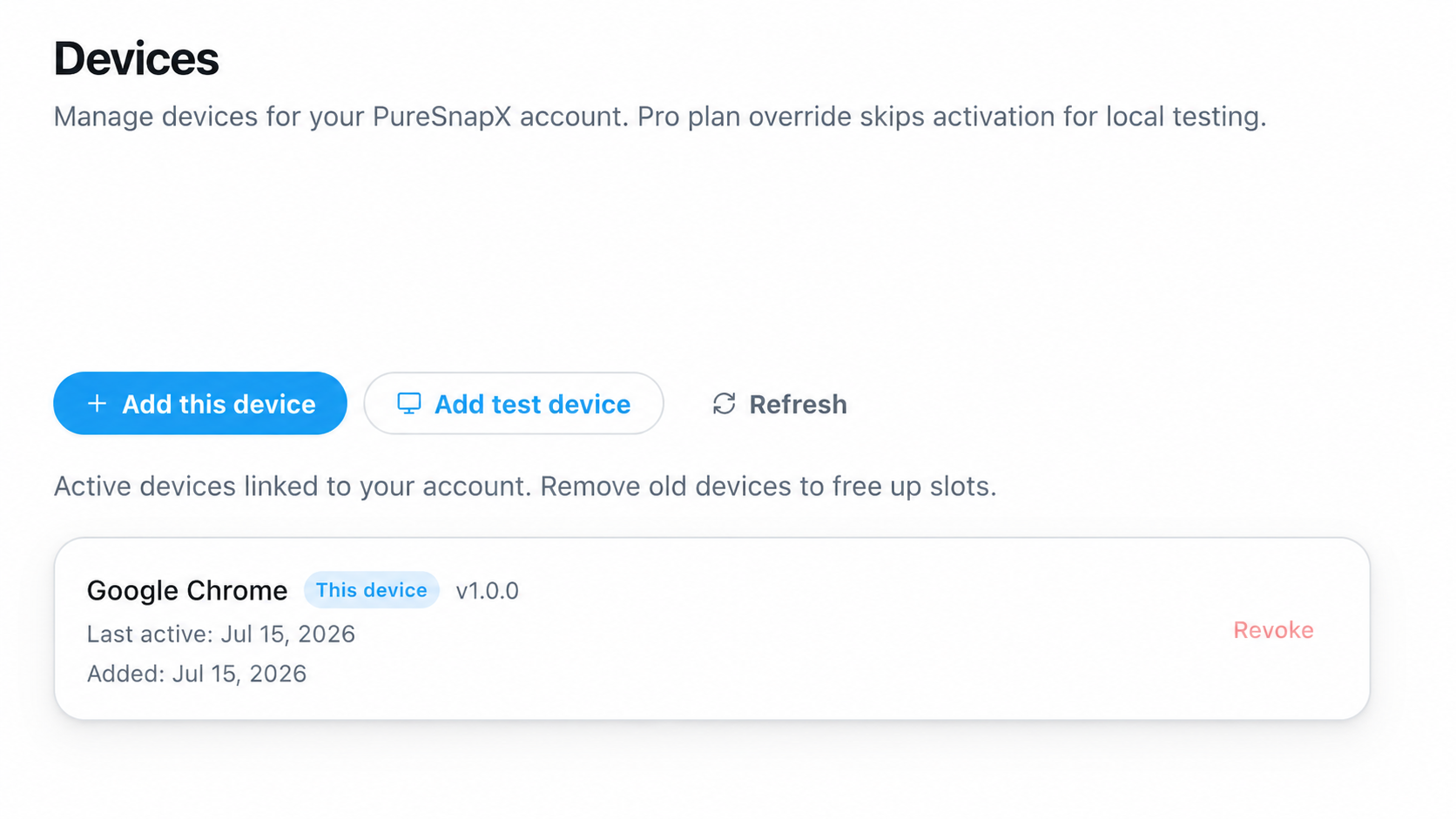
Export formats that match the job.
Use PNG for polished single images, carousel ZIP for selected thread posts, and Pro WebM video for thread visuals.
- PNG export (high-resolution, 2x scale)
- Copy to clipboard
- Carousel ZIP for threads (one PNG per selected post)
- Pro: WebM video export for threads via MediaRecorder where supported
- Pro video modes: Smooth scroll (speed 100–800 px/s) and Post-by-post (dwell time, fade/slide transition, optional outro)
Milestone Studio
Celebrate wins with cards that look intentional.
Milestone Studio is a dedicated surface for building milestone, metrics, progress, and list cards — perfect for weekly recaps, launch numbers, and goal updates. Open it from the popup with the Celebrate a milestone button, or use Command+Shift+M / Ctrl+Shift+M. When you launch it from an X profile or analytics page, PureSnapX auto-seeds your handle, avatar, and metrics.
Milestone
Celebrate a single win with a large metric.
Metrics
Show up to 4 numbers in a grid.
Progress
Goal vs. current with a progress visualization.
List
Up to 8 bullet highlights.
Metric catalog
Pull numbers from the tools you already use, or write your own.
Everything you need to ship a card
Style, customize, and export — all without leaving the studio.
- Goal editor with smart milestone suggestions and bar, dots, or segments display
- Heading options: None, Week, Month, or Custom freeform text
- Abbreviate numbers (K/M/B) and show date badge toggles
- All 21 themes (12 free + 9 Pro), 12 gradient presets, frame styles, shadow depth, and 12 effects
- Shuffle button to randomize theme and gradient
- Canvas sizes: Post (1600x900), Square (1080x1080), Banner (1500x500)
- Auto-save to chrome.storage.local — reopen from a saved library item
- Export as PNG, copy to clipboard, post to X, or save to library
Start with taste. Fine-tune only if you want to.
PureSnapX includes curated presets for the common moments creators share every week. Save your own custom templates too.
Clean
Crisp, minimal, and ready to post.
Executive
ProGraphite polish for announcements and proof.
Founder
Warm, human, and fast for maker posts.
Launch
ProHigh-energy launch card with controlled glow.
Editorial
Magazine-like white space for thoughtful posts.
Social Proof
ProKeeps credibility signals visible for wins.
Every post gets the right atmosphere.
Choose from 12 free themes and 9 Pro themes covering clean system looks, editorial layouts, creator styles, glass treatments, and premium high-impact designs.
Free themes
Clean, modern starting points for every post.
Pro themes
Premium atmospheres for launches, essays, and high-impact posts.
Start free in the studio. Upgrade when it becomes muscle memory.
Free includes Snap Studio, Milestone Studio, profile & analytics capture, and the local library (10-snap free cap). Pro unlocks the full studio — and waitlist members lock Lifetime Pro at $19 at launch (public price $29).
Free
For trying PureSnapX and capturing your first posts.
- 10 total snaps (single + thread combined)
- Snap button on X
- Keyboard shortcuts (Snap and Milestone Studio)
- PNG export
- Copy to clipboard
- Visible-thread capture
- Stitched thread image
- Carousel ZIP export
- Profile capture
- Analytics capture
- Milestone Studio (all templates, metrics, effects)
- Local My Snaps library with filters
- 12 free themes
- 3 free presets (Clean, Founder, Editorial)
- Custom templates
- Clean-up controls
- Captions, canvas controls, effects, and annotations
- PureSnapX watermark (locked)
Pro
Waitlist founders
Public list price stays $29 — your waitlist rate at launch
Waitlist founders get Lifetime Pro for $19 at launch — public price $29. Pay once. Own it forever. We’ll email a private checkout link when PureSnapX goes live.
- Everything in Free, plus:
- Unlimited snaps
- Remove or customize the watermark (including milestone watermark removal)
- 9 premium themes
- 3 Pro presets (Executive, Launch, Social Proof)
- Cloud library with cross-device sync
- Public shareable links
- Thread video exports (WebM)
- Priority support
Where Free and Pro differ
| Feature | Free | Pro |
|---|---|---|
| Snap X posts | 10 total | Unlimited |
| Themes | 12 free themes | All 21 (12 + 9 Pro) |
| Presets | Clean, Founder, Editorial | + Executive, Launch, Social Proof |
| Watermark | PureSnapX (locked) | Remove or customize |
| Milestone watermark removal | Locked | Included |
| Cloud library | — | Included |
| Public shareable links | — | Included |
| Thread video (WebM) | — | Smooth scroll + post-by-post |
| Priority support | — | Included |
| Price | Free | $19 waitlist · $29 list |
Free still includes Snap on X, Studio, threads (PNG/ZIP), profile & analytics capture, Milestone Studio, and local My Snaps. Waitlist founder price is $19 Lifetime at launch (public $29); offered to confirmed waitlist emails only.
Studio vs quick capture
A professional studio — not another one-click camera.
Chrome Web Store peers focus on snap-and-export. PureSnapX is built as an in-feed studio: themes, hide noise, annotate, Milestone Studio, profiles, analytics, thread packages, and a local library — then Pro for cloud, share links, and thread video.
| Capability | PureSnapXYou are here | PostCapture | TwitterShots | Pikaso |
|---|---|---|---|---|
| Chrome extension on X | MV3 studio on x.com / twitter.com | In-feed capture button (CWS + site) | CWS camera on posts | Chrome / Edge / Firefox extension |
| Professional Snap Studio on capture | Style · Text · Canvas · Effects · Annotate | Clean high-res frame; deeper polish on web credits | Backgrounds/branding mainly in web product | Styled layouts/colors on pikaso.me |
| Hide noise & annotations | Metrics, media, chrome controls + full markup | Clean UI crop, not full studio tools | Clean card export focus | Style options; not hide-noise suite |
| Milestone Studio (metrics cards) | Dedicated celebration / metrics surface | |||
| X profile capture | Snap profile on profile pages | Post/URL screenshots; multi-network web | Post-first product surface | Posts & profiles on site |
| X Analytics capture | Snap analytics on analytics pages | |||
| Thread packages | Stitched PNG, carousel ZIP, Pro WebM modes | Full thread on paid/web credits model | Thread split / PDF; video on higher paid tiers | Single-shot style product |
| Local My Snaps library | Local-first IndexedDB library | History tied to account/credits | Web + API workflow | Account / web export workflow |
| Free tier | 10 snaps + full Free studio tools | 10 free credits, then packs / sub | Free extension capture; advanced features paid on web | 5 screenshots / month |
| Paid model | $29 one-time Lifetime Pro | Credit packs (e.g. $5 / $30) or ~$14 / mo credits | From ~$5.83 / mo Pro (annual); Pro+ for video | $8 / month (500 shots, no watermark) |
| Pay once (no subscription) | Lifetime Pro marketed one-time | One-time credit packs or monthly | Subscription tiers | Monthly / yearly |
Compared as Chrome-extension capture tools on X. Labels reflect public Chrome Web Store / product / pricing pages as of July 2026 (PostCapture, TwitterShots, Pikaso). Products change — recheck sources. PureSnapX column matches this site’s Free / Pro studio copy. PostCapture extension · PostCapture pricing · TwitterShots CWS · TwitterShots pricing · Pikaso extension · Pikaso plans
Built for the posts that need to travel.
Launch announcements
Turn the post into a clean launch asset for LinkedIn, newsletters, investor updates, and team channels.
Social proof
Capture customer praise, public wins, and traction moments with credibility signals intact.
Founder updates
Make personal posts feel warm, intentional, and ready to reuse across platforms.
Milestone recaps
Build weekly, monthly, or goal-progress cards from X, GitHub, and SaaS metrics.
Profile cards
Turn any X profile into a clean, branded card for decks, press kits, and partner pages.
Analytics shares
Share X analytics overviews without a rough browser crop.
Thread repurposing
Turn visible threads into stitched visuals, carousel PNGs, or Pro WebM video (smooth scroll or post-by-post).
Editorial posts
Give thoughtful posts more space, stronger hierarchy, and a calmer presentation.
FAQ
PureSnapX is the professional screenshot studio for X — a Chrome extension with Snap Studio and Milestone Studio for posts, visible threads, profiles, analytics, and milestone cards. It is built for finish-and-export, not just quick snap-and-save.
Be first in the PureSnapX studio.
Join the waitlist for early access and founder Lifetime Pro at $19 (public price $29). No spam — launch updates only.
Builders and creators · $19 founder Lifetime at launch